
AI-powered facilities, IT & service desk software
One helpdesk for every repair, request and ticket
Trusted by UK organisations for over 20 years
Log, track and resolve everything from boiler faults to password resets, with AI that sorts requests and drafts replies for your team. Planned maintenance, assets, SLAs, CRM and reporting in one cloud platform, for facilities, IT and customer service teams.

Support
+ New TicketIllustrative interface with demo data
Trusted by organisations including
Product tour
See SiteHelpDesk in action
Pick a feature to see how it works. Illustrative interface with demo data.
AI that does the first pass for you
SiteHelpDesk’s AI reads each new request, suggests the category, priority and team, finds similar past tickets and drafts a reply. Your team checks it and sends, so requests get moving in seconds.
- Suggested category, priority and assignment
- Drafted replies your team can edit and send
- Similar past tickets and fixes surfaced
#1047 Heating not working
EmailHi, the radiators on the second floor have been cold since this morning and staff are complaining. Can someone take a look today? Thanks, Sarah
Every email becomes a ticket
Emails to your support address are turned into tickets automatically, acknowledged straight away and added to the right queue. Replies are threaded onto the same ticket.
- One or several support mailboxes
- Auto-acknowledgement to the requester
- Replies threaded to the right ticket
Inbox
New ticket
From emailNever miss an SLA again
SLA clocks run on your real working hours and pause when you are waiting on a customer or supplier. Your team is warned before a target is missed and managers are told when one is.
- Working hours, holidays and pause-the-clock
- Traffic-light warnings on every ticket
- Automatic escalation and SLA reports
SLA monitor
Working hours 08:00–18:00Planned maintenance on autopilot
Set up recurring jobs once and SiteHelpDesk raises them when they are due, linked to the asset, the site and its full service history.
- Asset register with warranties and history
- PPM, PAT testing and safety checks
- Jobs created automatically when due
Planned maintenance, March
Auto-scheduledSee how your team is really doing
Live dashboards and scheduled reports show volumes, response times, SLA performance and satisfaction, by team, category or customer.
- Live dashboards and KPIs
- Reports emailed on a schedule
- Export to Excel or PDF
Self-service your users will actually use
A branded portal where staff and customers can find answers in the knowledge base, log requests and track progress without picking up the phone.
- Your branding, your domain
- Knowledge base suggestions as they type
- Request tracking and email updates
How can we help?
Search our help articles or log a request.
Help desk software solutions
Built on real-world customer experience
SiteHelpDesk has been providing help desk software for over twenty years. We provide service desk solutions for any type of internal service, with special features for IT services and facilities management, including life-cycle asset management.
We also provide a solution for external customer support and account management, so whatever kind of support you run, there’s a SiteHelpDesk built for it.
- Up and running within hours, nothing to install
- Unlimited end users at no extra charge
- Hosting, backups and upgrades included

Why organisations choose us
Enterprise-grade features without the enterprise-grade complexity.
Browser independent
Access your helpdesk and account management features from any web browser on your PC, tablet or smartphone.
Flexible and easy to use
Configure it to suit the way you work, which is why we have customers in every market.
Affordable
One simple per-agent subscription that often costs less than what you pay now. Compare our prices or ask for a quotation.
Discounted prices
NHS organisations, educational establishments and registered charities get 15% off published prices.
Dynamic reporting
Full reporting on your service desk data with colourful charts and a dashboard of the KPIs you choose.
Fully cloud-hosted
We host, secure, back up and update it for you. Your team just logs in from any browser.
What we do
Far more than ticket management
We’re always here to help, with consultancy and training when you need it. And because we host and update it for you, there are no servers to look after.
- Customer and contact management with detailed profiles and linked projects
- Project and task management, with no need for separate tools
- Built-in time tracking and billing for accurate client invoicing
- Invoicing and estimates, including recurring invoices
- Role-based access control for secure team collaboration

Support core
Helpdesk and ticket management
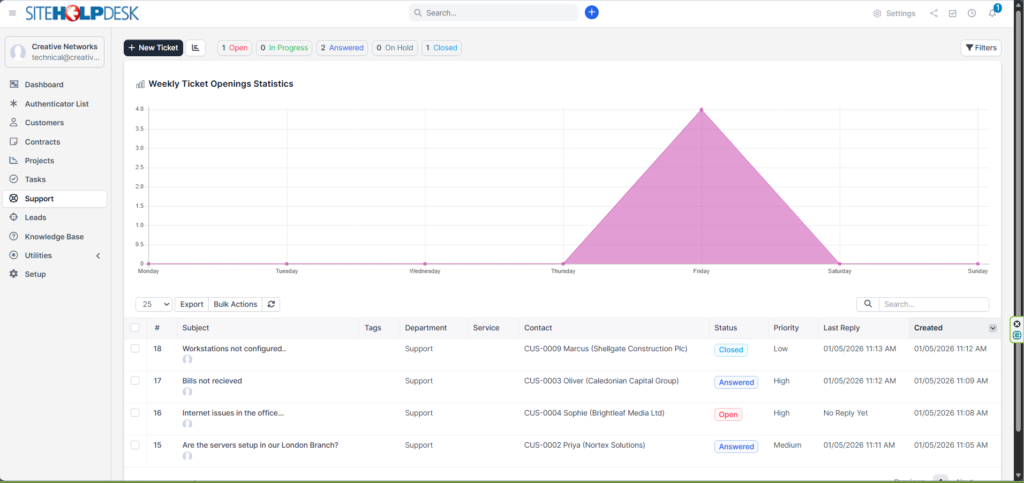
Streamline your support with a ticketing system that brings together requests from email, web portals and other channels. Track resolution times, automate assignments and make sure every query gets the attention it deserves.
- Multi-channel ticket consolidation
- Email-to-ticket auto-import
- SLA tracking and automated escalations
Client success
Customer relationship management
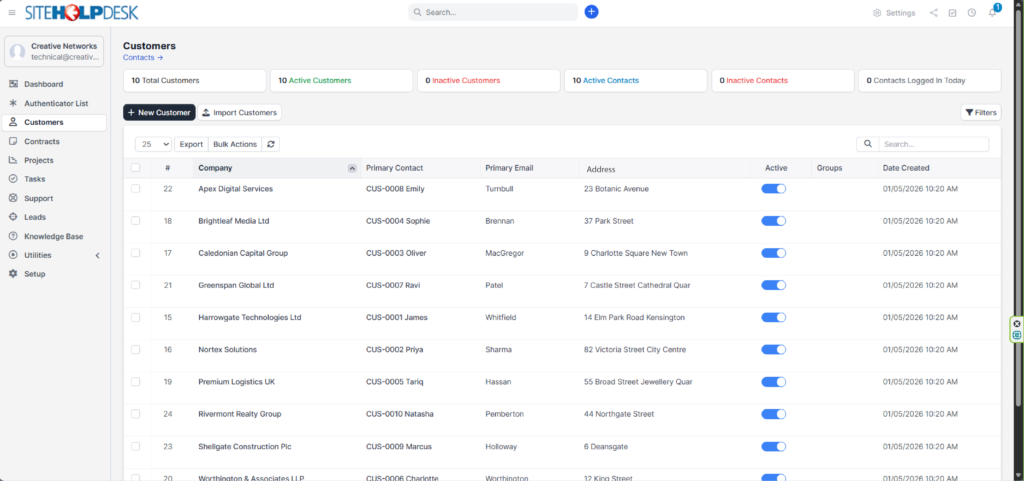
Keep a 360-degree view of your customers. Manage contacts, account histories and interaction logs in one database, and use the insight to personalise your service.
- Centralised customer data
- Interaction history and activity logs
- Customer and contact-level portal logins
Delivery
Project and task management
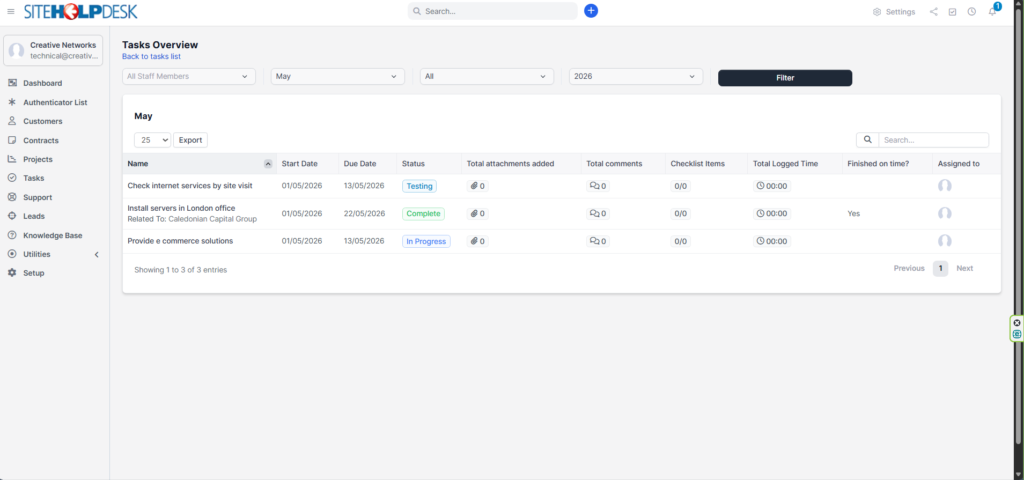
Bridge the gap between support and project delivery. Plan workflows, assign tasks and track progress in real time, from a small request to a major infrastructure project.
- Task boards and lists
- Milestone tracking and team collaboration
- Link tasks to customers and tickets
Revenue
Leads, time tracking, billing and invoicing
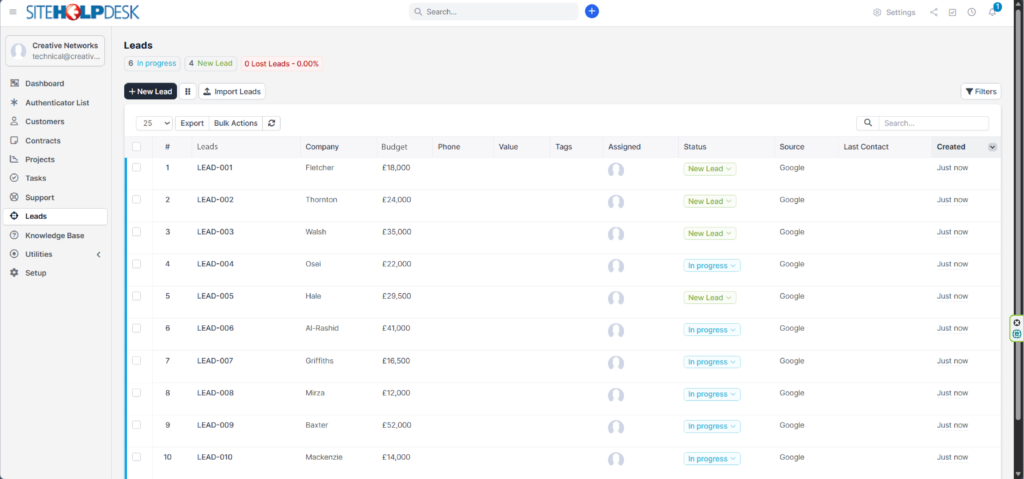
Capture and convert new opportunities with integrated lead management, and record time spent on support and project work so every billable minute is accounted for.
- Pipeline view and lead tracking
- Billable time recorded against tickets and projects
- Invoices, quotations and estimates
- Recurring billing
Control
Reporting, security and integrations
Get insight into service performance, sales and customer activity, while role-based permissions protect your data. API and Zapier integrations and white-labelling give you full control.
- Performance reporting and dashboards
- Role-based data protection
- REST API and Zapier integrations
- White-label branding options
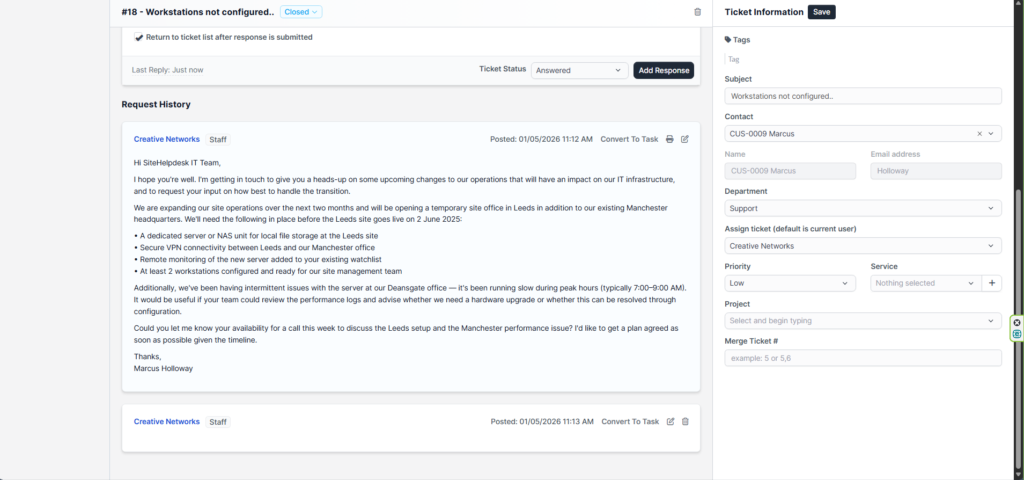
Solutions for every team
See how SiteHelpDesk works for your kind of support service.
IT Service Desk
ITIL incident, change, problem and asset management for internal IT teams.
Explore →support_agentCustomer Service
Branded customer portal, email ticketing, SLAs and account management.
Explore →apartmentFacilities & Estates
Reactive jobs, planned maintenance, assets and stock across every site.
Explore →badgeHR & Internal Services
One place for staff to raise HR, finance, admin and H&S requests.
Explore →schoolEducation
IT and estates support for schools, colleges and universities.
Explore →account_balancePublic Sector & Healthcare
Councils, NHS and housing associations, with 15% off for NHS and charities.
Explore →Find the right service desk
Not all support services are the same. Turn on the features you need, add your own logo, colours and fonts, and choose the edition that fits.
SiteHelpDesk
Core help desk for any internal support team.
Learn more →monitorSiteHelpDesk-IT
ITIL service desk with CMDB, change and problem management.
Learn more →buildSiteHelpDesk-FM
Facilities helpdesk with assets, PPM and stock control.
Learn more →map_searchSiteWebDesk
Customer support portal and account management.
Learn more →“Since implementing sitehelpdesk we have seen a drop of dissatisfied users from over 25% to under 3%. We never forget a job and our work is transparent to the user base.
Nick Mosley, Chief Information Officer, Apollo Fire Detectors
Frequently asked questions
How does the auto-import from email work?
Any email sent to your support address is automatically converted into a trackable ticket, with no manual logging. Your team is notified straight away and can respond from the staff portal. Email-to-ticket is built in, across one or several support mailboxes.
Do we need to install anything?
No. SiteHelpDesk is fully cloud-hosted and browser-based. We look after the servers, security, backups and updates.
Is time tracking and billing included?
Yes. Staff log time against tickets and projects, and you can create invoices directly from logged time, with recurring invoices, different tax rates and estimate-to-invoice conversion.
How is SiteHelpDesk priced?
Pricing is based on the number of support staff who log in to manage requests. End users and customers are unlimited at no extra charge. See prices.
Get started with SiteHelpDesk
Organisations around the world trust SiteHelpDesk to deliver outstanding support. Try it free, or talk to us about a no-obligation quote.
